
The Exhibition Homepage
1
Customise the Look
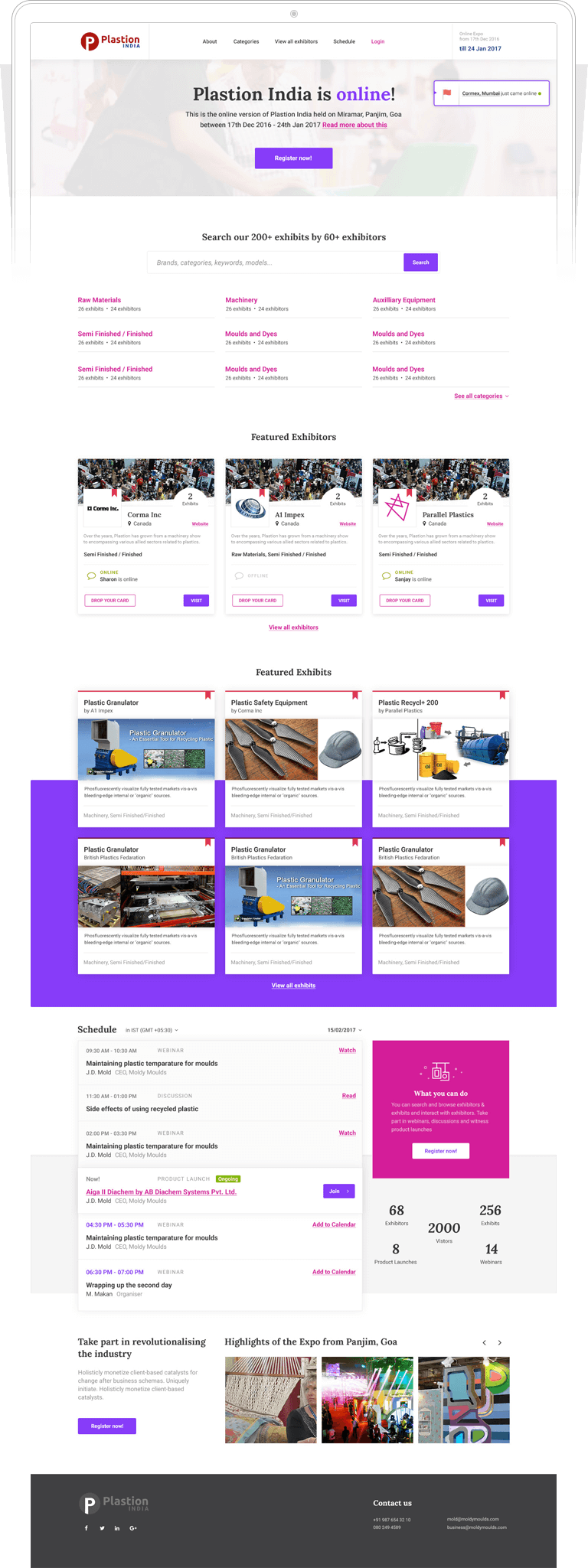
Organisers can add custom banner designs for an extra touch
01. Customise the Look
Organisers can add custom banner designs for an extra touch.
2
Different Layouts
Organisers can change the layout and pick from a variety of layouts
02. Different Layouts
Organisers can change the layout and pick from a variety of layouts.
3
Feature Exhibitors & Exhibits
You can pick and features some top exhibits and exhibitors
03. Feature Exhibitors & Exhibits
Organisers can pick and feature some top Exhibitors and Exhibits.
4
Stats
The organisers can get the total number of exhibitors, exhibits and visitors at your expo.
04. Stats
The Organisers can get the total number of Exhibitors, Exhibits and Visitors at their expo.
5
Publish Content
Organisers can keep their expo site fun and engaging for users by adding images, videos, slideshows and widgets. Testimonials can also be added to showcase positive comments and feedback about the expo.
05. Publish Content
Organisers can keep their expo site fun and engaging for users by adding images, videos, slideshows and widgets. Testimonials can also be added to showcase positive comments and feedback about the expo.
View All Exhibitors
1
Exhibitor Categories
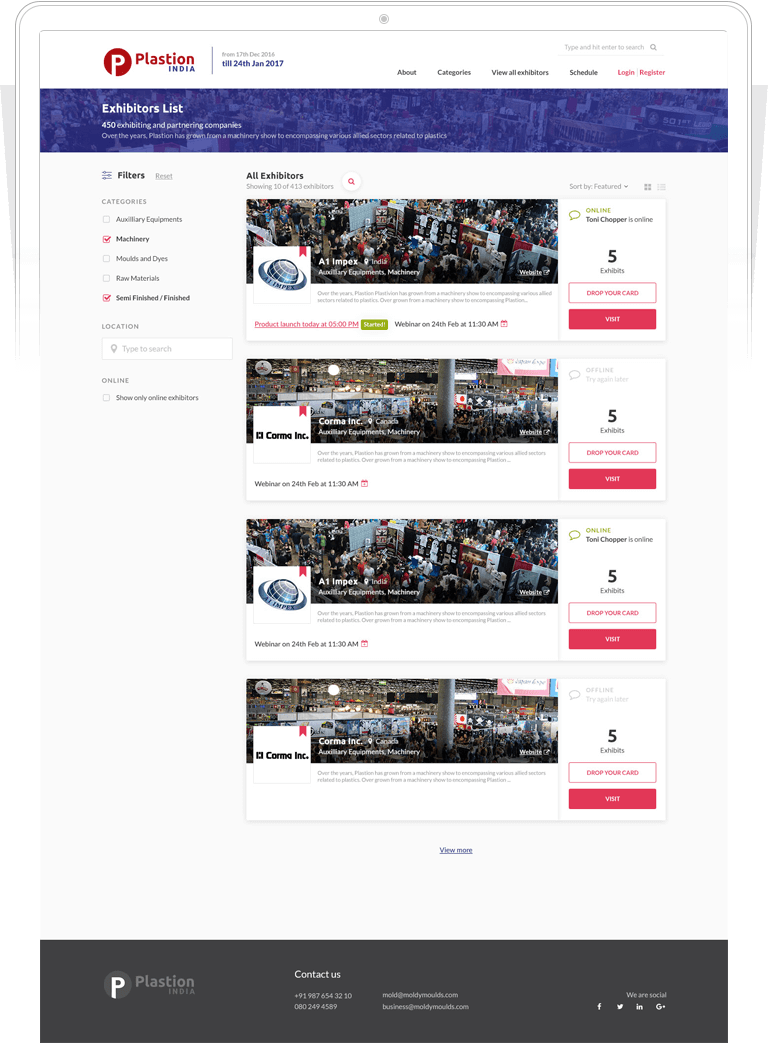
Exhibitors have categories so the visitors can easily find them.
01. Exhibitor Categories
Exhibitors have categories so the visitors can easily find them.
2
Different Views
Two views of the page - List and Grid View.
02. Different Views
Two views of the page - List and Grid View.
3
Decide which Exhibitors
Organisers can choose which exhibitors are onboarded to their online expo. Create team accounts for the exhibitor teams. Decide which features and provisions the exhibitors have access to, for example how many products the exhibitor can display and how many online agents the exhibitor can add to the page.
03. Decide which Exhibitors
Organisers can choose which exhibitors are onboarded to their online expo. Create team accounts for the exhibitor teams. Decide which features and provisions the exhibitors have access to, for example how many products the exhibitor can display and how many online agents the exhibitor can add to the page.
The Exhibitor Page
1
Customise the Look
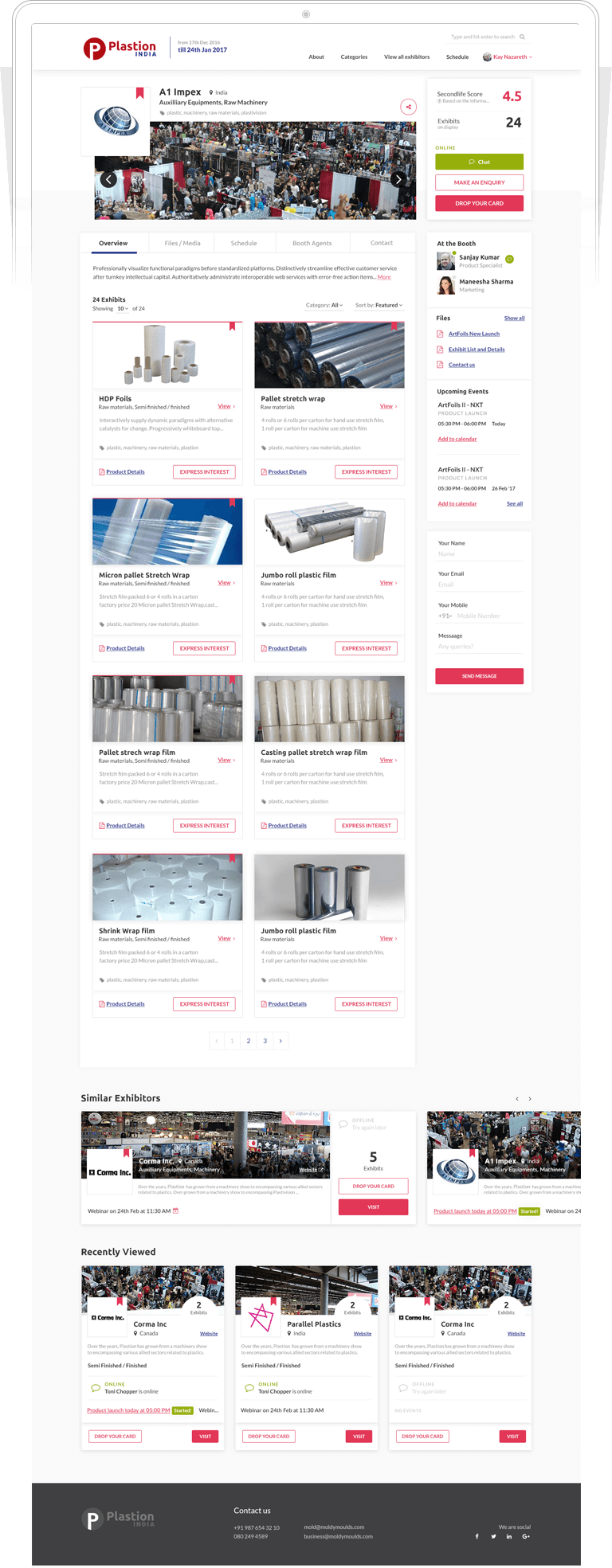
Exhibitors can customise their profile page to reflect their brand by adding the company name, logo, cover picture, description.
01. Customise the Look
Exhibitors can customise their profile page to reflect their brand by adding the company name, logo, cover picture, description.
2
Interact
Visitors can make an enquiry, drop their card or also start a chat with the booth agents.
02. Interact
Visitors can make an enquiry, drop their card or also start a chat with the booth agents.
3
Publish Content
The key focus of the exhibitor’s profile will be the “Exhibit” section, where they can showcase their products and services. Exhibitors can add photos, videos and files related to the exhibits.
03. Publish Content
The key focus of the exhibitor’s profile will be the “Exhibit” section, where they can showcase their products and services. Exhibitors can add photos, videos and files related to the exhibits.
4
Team Members
Exhibitors can add team members to their profile.
04. Team Members
Exhibitors can add team members to their profile.
5
Related Recommendations & Recently Viewed
Visitor will be provided with similar exhibitors and recently viewed exhibitors.
05. Related Recommendations & Recently Viewed
Visitor will be provided with similar exhibitors and recently viewed exhibitors.
The Exhibit Page
1
Present the Exhibits
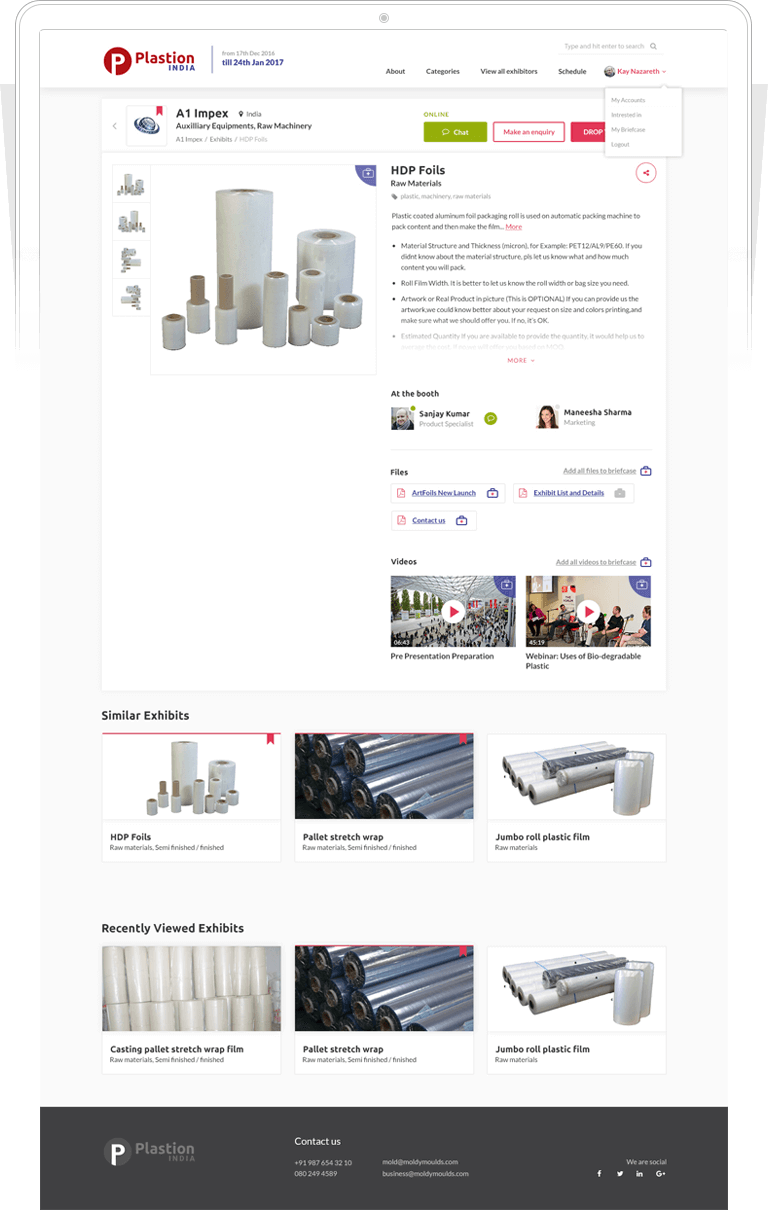
Exhibitor can customise their exhibit and include a title, description, tags, photos, videos and files.
01. Present the Exhibits
Exhibitor can customise their exhibit and include a title, description, tags, photos, videos and files.
2
Add to Briefcase
Visitors can add files/media they like to the briefcase for easy access later.
02. Add to Briefcase
Visitors can add files/media they like to the briefcase for easy access later.
3
Related Recommendations & Recently Viewed
Visitors will be provided with similar exhibits and recently viewed exhibits.
03. Related Recommendations & Recently Viewed
Visitors will be provided with similar exhibits and recently viewed exhibits.
Interaction
1
Chat Initiation
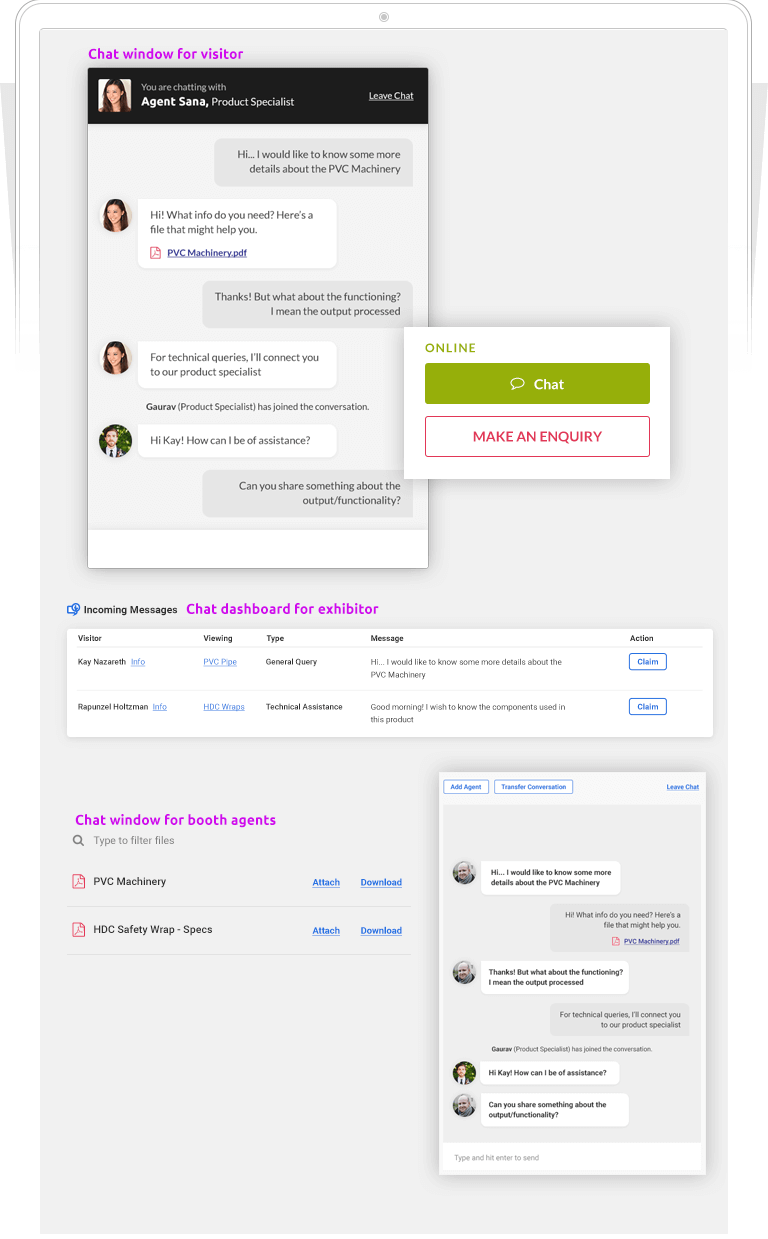
Interested visitors can initiate a chat request by submitting their details and an agent will help them out.
01. Chat Initiation
Interested visitors can initiate a chat request by submitting their details and an agent will help them out.
2
Claim a Chat
When visitor initiates a chat request, the online exhibitor agents can select a visitor to chat with based on the type of query and the visitors profile and details.
02. Claim a Chat
When visitor initiates a chat request, the online exhibitor agents can select a visitor to chat with based on the type of query and the visitors profile and details.
3
File Sharing
Exhibitor agents can share files with the visitors.
03. File Sharing
Exhibitor agents can share files with the visitors.
4
Add Agents/Transfer Conversation
Exhibitor agents can invite other online agents to join the chat, they can also transfer the chat to other agents.
04. Add Agents/Transfer Conversation
Exhibitor agents can invite other online agents to join the chat, they can also transfer the chat to other agents.